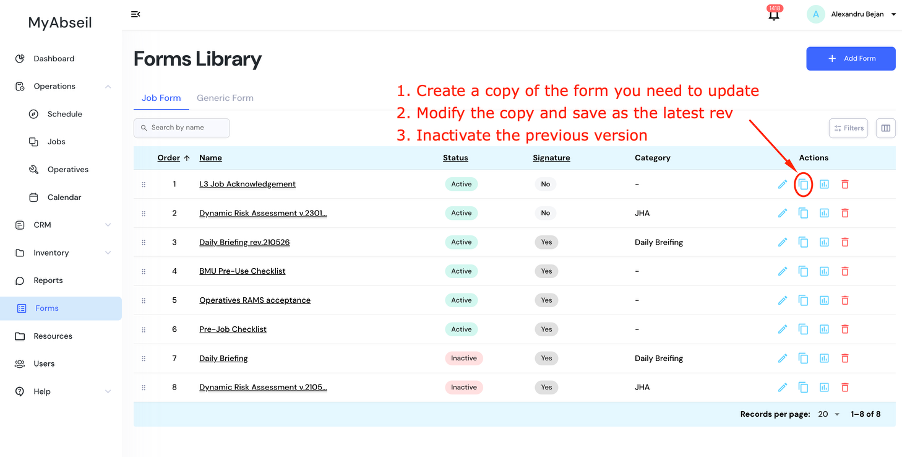
The Recommended Workflow to Replace / Modify / Update a Job Form or a Generic Form
In the Forms Library (Forms Menu):
- Create a copy of the form you need to modify/update
- Modify the copy and save with the latest revision no & date in the name or under the form reference number. As required, assign the new form to the jobs or, if it’s the case, allocate to all existing jobs and/or all new jobs.
- Inactivate the previous version
- This workflow preserves the version history of all forms, providing an essential audit trail.