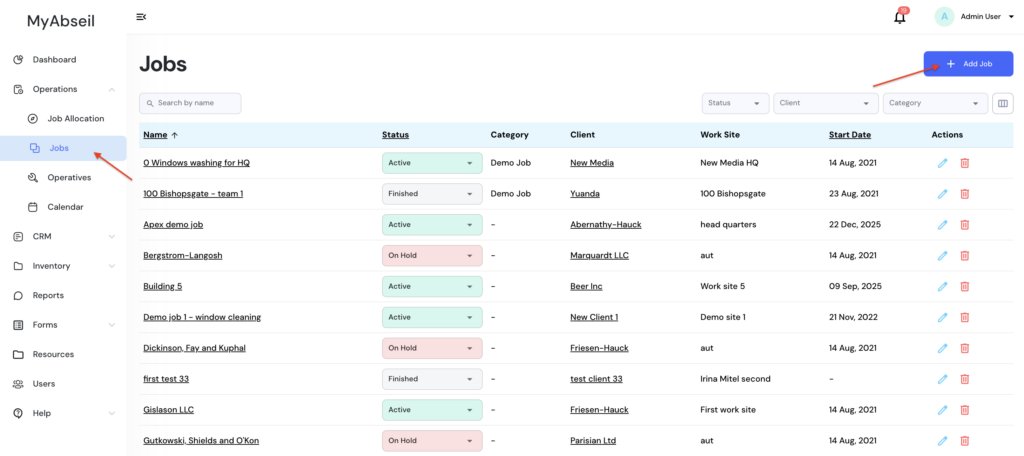
Go to ‘Operations’ menu, ‘Jobs’ submenu and click ‘+Add Job’
Please note that you need to input the Client and the Worksite in order to create a new Job
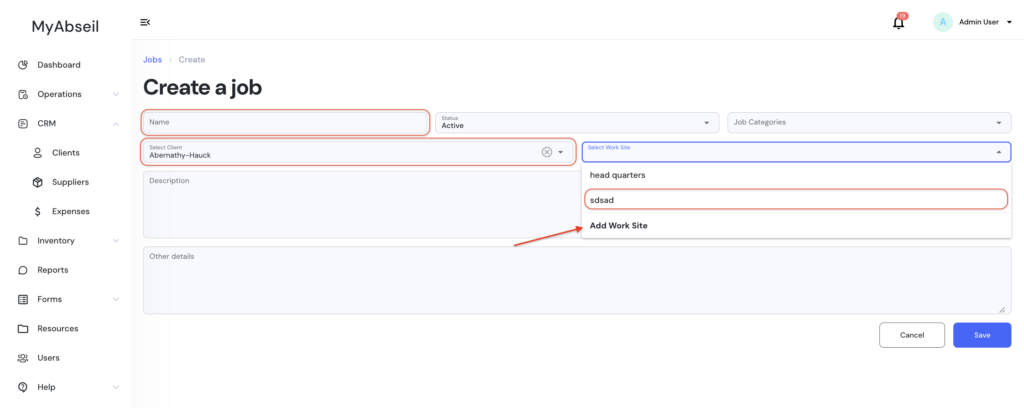

Please note that you need to input the Client and the Worksite in order to create a new Job