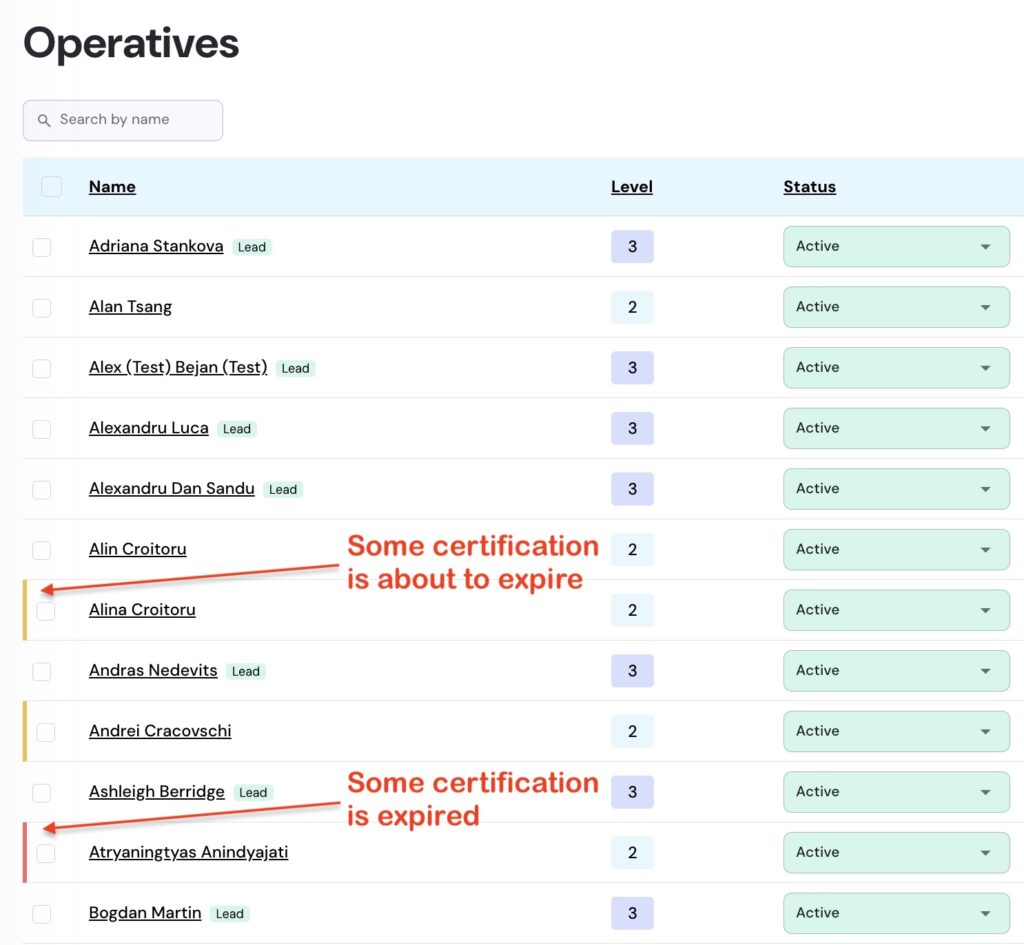
Navigate to ‘Operatives’ menu under ‘Operations’, and look for the coloured warning tags in front of the Operatives’ name:
- Yellow warning tag: certification is about to expire
- Red warning tag: certification is expired
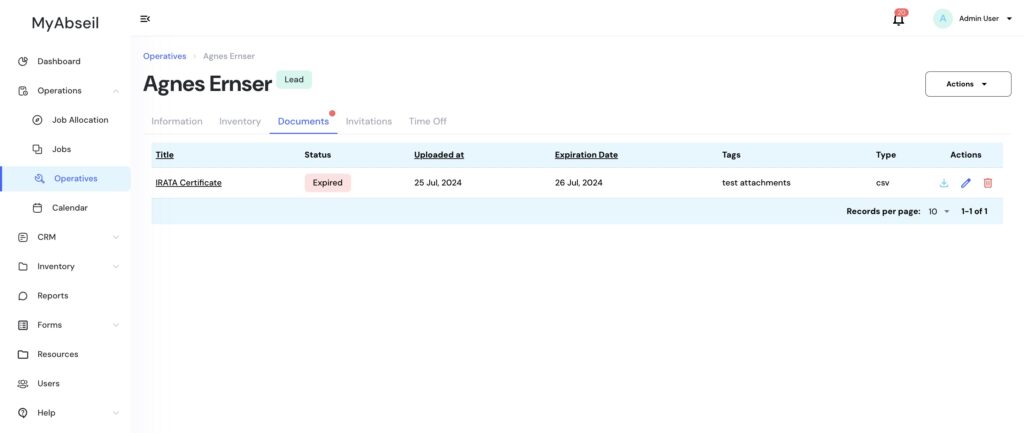
Select the required operative with active warning and navigate to the ‘Documents’ tab to delete the expired certification and upload the new one
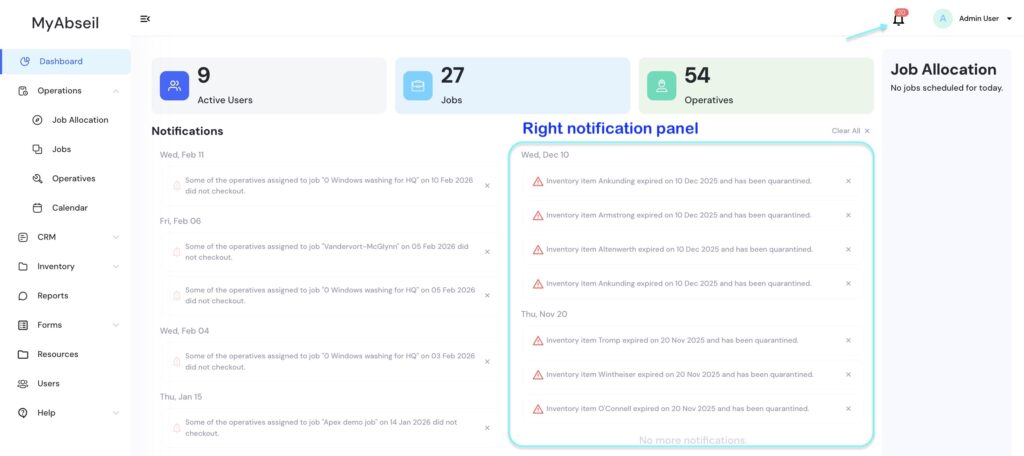
Certification expiry notifications for operatives will also be shown on the Dashboard’s right-hand notification panel—60 and 30 days before expiration, and again on the expiry date.