
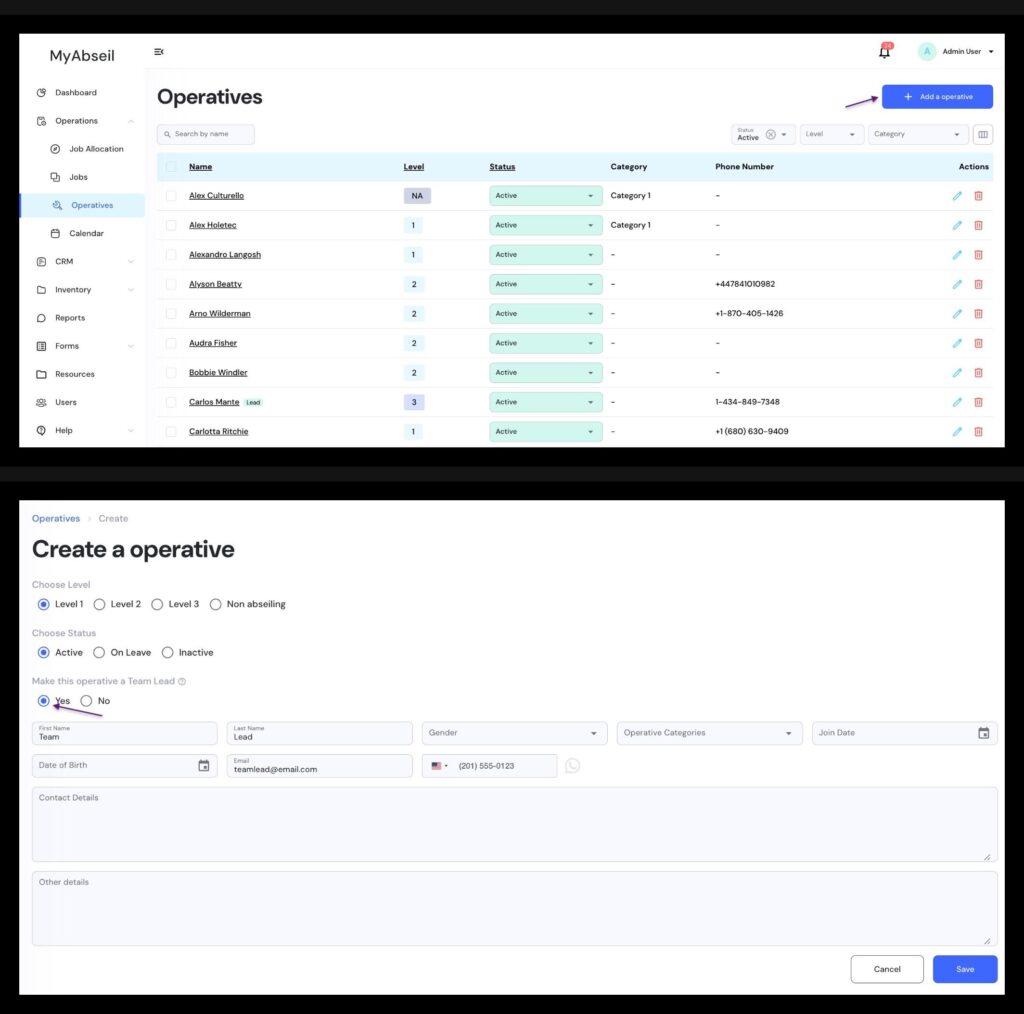
To create a new ‘Team Lead’ user go to the Operatives menu, and click +Add Operative
After entering the new Operative details / email / phone number, select ‘Make this operative a Team Lead’
*the email is mandatory if you want to assign a ‘Team Lead’ user to an Operative
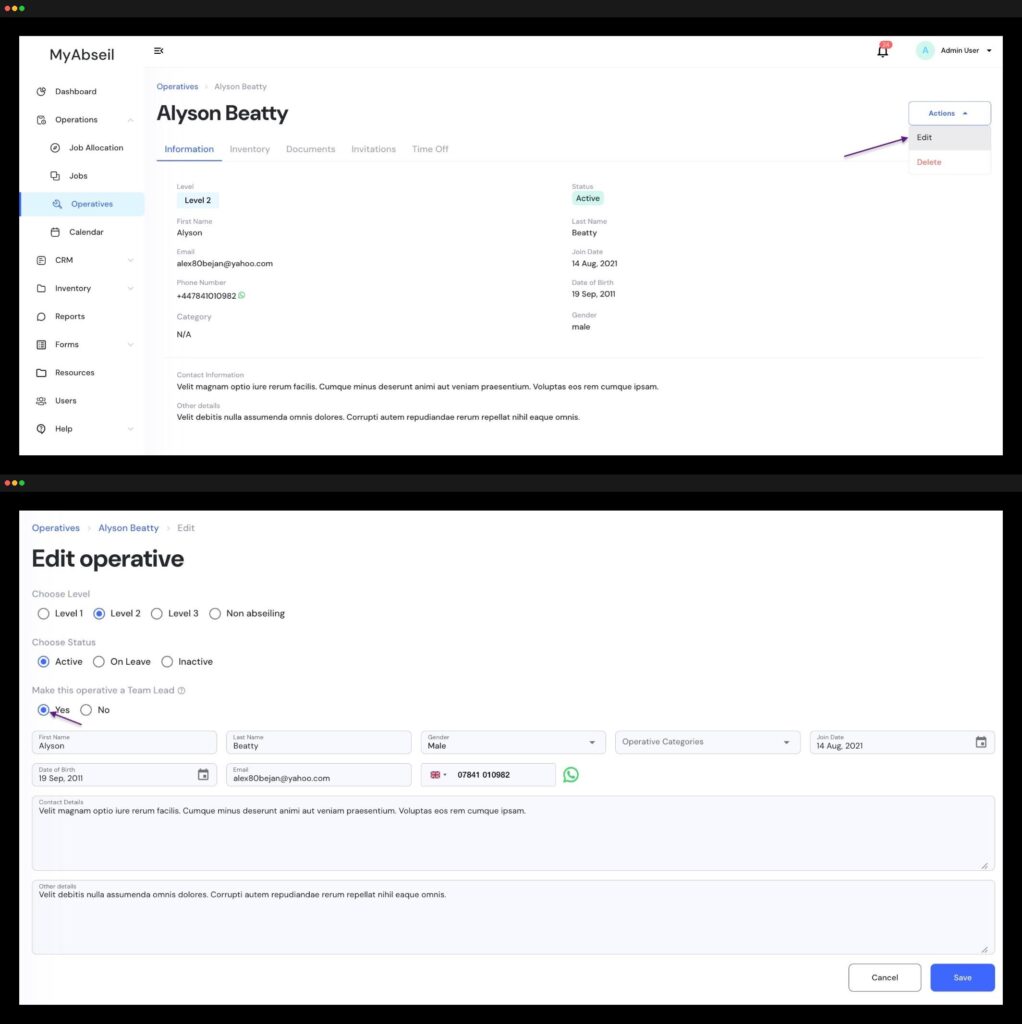
If you want to make an existing Operative a Team Lead user, go to the Operatives menu and select the required operative from the list. Click on the operative, navigate to the Action menu and select Edit. Now select ‘Make this operative a Team Lead’
*the email is mandatory if you want to assign a ‘Team Lead’ user to an Operative
The selected Operative will receive a link on email to finalise their profile and create a password